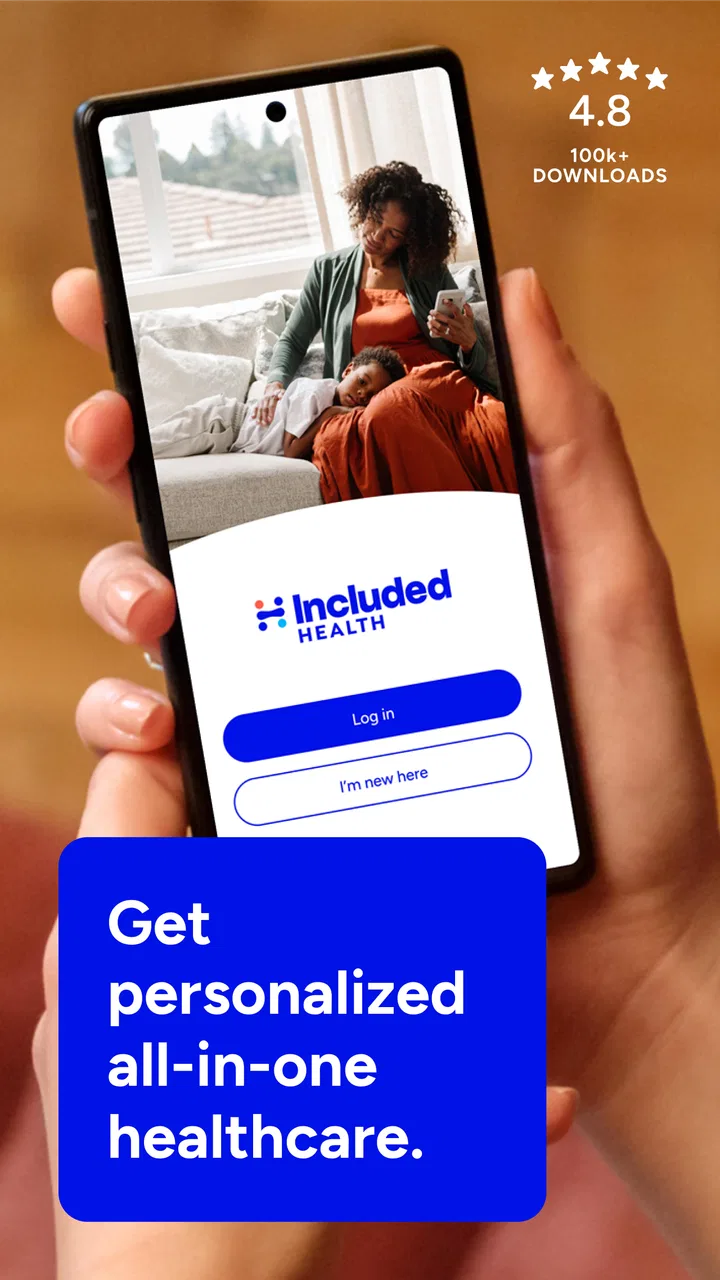
Included Health
- 4.8
- Rating
- 100.00K
- Installs
- Free
- Price

 Analysis by App-foxy
When I first opened Included Health, I understood its main appeal quickly: it is designed to make the healthcare journey less scattered. Instead of treating virtual care, finding the right kind of help, and getting support with healthcare decisions as completely separate tasks, the app brings those needs into one medical service. That makes it especially interesting when I feel well enough to use my phone but do not want to spend time guessing which healthcare route makes sense.
Included Health is a free medical app from Included Health, available to everyone by age rating. It has been around since Aug 25, 2014, and its current version is 2026.9.2 for devices running iOS or Android 10 and newer. The app has passed 100K installs, with a 4.9 average from around 11K ratings and about 1.2K written reviews. Those figures suggest that many people find it useful, although a high store score should be treated as a starting point rather than a guarantee that every healthcare situation will feel equally smooth.
What the app is like when you need healthcare guidance
The most useful way to think about Included Health is as a starting point for several healthcare tasks. Its focus is virtual care, healthcare navigation, and advocacy support, so it is not simply a symptom checker and not merely a video appointment tool. The distinction matters. A symptom checker may give you a list of possible conditions, while a normal clinic app may concentrate on appointments with one provider. Included Health is aimed more at helping you move through the system and decide what to do next.
You May Also Like

 Blood Strike: 2.5 Anniversary
Blood Strike’s Loadouts Turn Every Drop Into a Tactical Gamble
A close look at Blood Strike’s custom loadouts: how fast access to signature weapons reshapes its battle royale rhythm, rewards preparation, and narrows the gap between fights.

 Pandora - Music & Podcasts
Pandora’s Music Is Easy to Start, but Harder to Recover
Pandora’s strength is its low-effort path from a seed to a station. Its weak spot is how much confidence it asks you to place in connection, setup, and quiet recovery.

 8 Ball Pool
 Is Built on Rivalries, Rematches, and Routine
A close look at the rivalries, rematches, shared routines, and unanswered safety questions that turn a quick pool match into a persistent mobile community.

 Samsung Music
’s Quiet Strength Is Playing What You Already Own
Its reach comes less from spectacle than from dependable access to a personal library. That simplicity is both the app’s strongest retention engine and its ceiling.

 AccuWeather: Weather Radar
AccuWeather Review: A Quick, Clear Forecast for Everyday Decisions
For everyday plans, the best forecast is the one you can understand quickly. AccuWeather makes rain timing, radar, and local conditions easy to act on, with a few trade-offs.

 Hill Climb Racing
Why Hill Climb Racing Still Turns Crashes Into One More Run
A tiny car, a bumpy hill and one more upgrade: Hill Climb Racing keeps resurfacing because its simple chaos makes every near-miss feel personal.
More From Our News Desk



That makes the experience valuable when the problem is uncertainty rather than just illness. You might know that you need medical advice but not know whether to look for a virtual visit, a specialist, or help understanding a healthcare issue. In those moments, the service can act as a practical front door. I would not use it as a replacement for emergency services, and I would not expect any app to make a serious diagnosis safely from a short description. Its strength is helping with the next appropriate step.
For a first-time user, the important expectation is that the app may be most useful when you approach it with a clear goal. “I need help deciding where to start” is more actionable than opening it without any idea of what you want. Before tapping through the experience, I would prepare a short explanation of the issue, how long it has been happening, and what kind of help I am hoping to receive. That small amount of preparation can make a healthcare conversation more focused.
The app also makes sense for people who dislike making several calls to different healthcare offices. Navigation and advocacy are not glamorous features, but they can save mental effort when a medical question involves confusing terminology, a referral, or uncertainty about where to ask. I see this as the difference between an app that only connects you to a consultation and one that tries to help you understand the wider route.
Who is likely to benefit most
Included Health is a good fit for someone who prefers handling the early stages of healthcare from a phone. It can suit a busy worker trying to understand an issue between other commitments, a person who wants support before choosing a provider, or someone who feels overwhelmed by healthcare choices. It may also help users who are comfortable explaining their situation digitally and following guidance through an app rather than starting with a traditional office visit.
It is less suitable for a person who wants a single permanent doctor relationship inside one familiar clinic system. If your priority is viewing a complete long-term medical record, managing every prescription, or coordinating directly with a local hospital network, a dedicated provider portal may be the better primary tool. Included Health can complement that kind of service, but I would not assume it replaces every function offered by an established clinic app.
There is another important boundary. If symptoms appear severe, sudden, or potentially life-threatening, opening a healthcare navigation app should not delay urgent help. The app’s role is guidance and access, not emergency response. That is a limitation of the category, not a flaw unique to this service, but it is worth keeping in mind before relying on any virtual-care option.
Getting through setup without losing momentum
The first setup should be approached as a short orientation rather than a form-filling chore. I would begin by checking that the device meets the minimum operating requirement of Android 10 or newer, then install the free app and keep the reason for using it in mind. If I am looking for advice about a current concern, I would have the basic details ready before creating or completing the account.
Healthcare apps can feel more demanding than ordinary lifestyle apps because the information needs to be accurate. My practical advice is to slow down when entering personal details and to review the spelling of names, dates, and contact information before continuing. A small error can create unnecessary friction later, particularly if the service needs to connect you with a clinician or support person.
I would also avoid treating the first screen as a test that has to be completed perfectly. The goal is not to explore every corner immediately. The goal is to reach the part of the app that matches your reason for installing it. If you need medical advice, follow the virtual-care path. If you are unsure how to navigate a healthcare issue, look for the navigation or advocacy route. Keeping those purposes separate makes the beginning less confusing.
One useful habit is to write down the exact question you want answered before starting. For example, instead of entering “stomach problem,” I would note when it began, whether it is getting worse, and what I have already tried. This does not turn the app into a diagnostic instrument, but it gives the healthcare interaction better context. It also reduces the chance of remembering important details only after the conversation has ended.
How to prepare for a virtual-care interaction
Virtual care works best when the user treats it like a real appointment rather than a casual chat. I would choose a reasonably private place, keep any relevant medication names nearby, and make sure I can describe the issue in plain language. If the concern involves a visible symptom, having a clear way to explain what has changed can be more useful than trying to sound medically precise.
A further advantage of preparing in advance is that it helps reveal whether virtual care is actually the right route. Some concerns can be explained clearly at a distance, while others may require an in-person examination or testing. Going into the app with that possibility in mind makes the experience more realistic. A good outcome is not always a remote solution; sometimes it is a clearer recommendation about what should happen next.
I would also think about what I need after the interaction. Is the main goal reassurance, a recommendation, help finding the right type of care, or support with a healthcare obstacle? Knowing this helps me judge whether the app has delivered a meaningful result instead of measuring success only by how quickly I reached a screen or conversation.
The first meaningful success: turning uncertainty into a next action
For a new user, the first success should be concrete. I would define it as leaving the app with a clearer next action, such as beginning a virtual-care request, understanding which route to pursue, or recognizing that advocacy support is the more appropriate form of help. This is more useful than simply browsing the interface and deciding that it looks polished.
Imagine waking up before work with a health concern that is uncomfortable but not obviously an emergency. You are unsure whether to search for a local clinic, wait, or ask someone for advice. In that situation, I would open Included Health, describe the concern briefly, and use the available care or navigation path rather than searching randomly across the internet. The practical win is reducing the number of decisions I have to make while I am already worried or distracted.
Another realistic situation involves a healthcare problem that is not solved by one appointment. You may understand that you need a certain kind of support but feel stuck on where to begin. This is where the advocacy side becomes important. Instead of viewing the service only as a way to talk to a medical professional, I would consider it when the obstacle is understanding the healthcare process itself.
The first successful action can therefore look different for different users. For one person, it may be starting a virtual consultation. For another, it may be identifying a suitable care direction. For someone dealing with a complicated healthcare question, it may be finding support that helps organize the issue. The app’s broad purpose is helpful here, but it also means the experience depends on choosing the right entry point.
What to do after the first interaction
Once I have received guidance, I would write down the recommended next step immediately. Healthcare conversations can contain several details, and relying on memory is risky when I am tired or anxious. I would note whether I need to monitor something, arrange another form of care, prepare a question, or contact a provider through a different route.
This is also the moment to judge the app honestly. Did it help me make a decision, or did it merely move me to another unclear stage? If I still do not understand what to do, I would use the navigation or advocacy angle rather than repeating the same description in a different section. The service is most valuable when I use its broader support rather than treating it as a single-purpose appointment button.
For recurring healthcare needs, I would keep a small personal record of the questions that come up most often. That can make future interactions more efficient and help me notice whether the issue is changing. I would not assume that an earlier conversation automatically provides all the context for a later one; I would still explain what is new and what remains unresolved.
Common points of confusion and the trade-offs to expect
The first possible confusion is the difference between care and navigation. Virtual care is about receiving medical attention remotely, while navigation is about finding the appropriate path through healthcare. Advocacy support goes a step further by helping with obstacles or difficult decisions. These ideas overlap, but they are not interchangeable. If I choose the wrong route at the beginning, the app can feel less useful even when the service itself is appropriate.
The second trade-off is convenience versus physical examination. A phone-based healthcare experience can be easier to start, but it cannot provide every kind of assessment. If the issue depends on an examination, testing, or immediate treatment, virtual support may only be the first stage. I appreciate the convenience more when I see it as a way to begin intelligently, not as a promise that every problem can be completed inside the app.
Another limitation is that healthcare decisions are personal. A general recommendation may not fully reflect a person’s medical history, local options, or practical constraints. I would use the app to ask better questions and understand possible routes, then follow through carefully when an in-person provider or another healthcare service is needed.
There is also a difference between a high average rating and a guaranteed personal fit. Included Health’s 4.9 average and large number of ratings show strong user satisfaction overall, but healthcare experiences can vary depending on the concern, timing, and support needed. I would read the rating as evidence that the app works well for many people, not as proof that every interaction will be effortless.
Compared with a symptom-search website, the app’s advantage is that it aims to connect uncertainty with healthcare support rather than leaving me alone with a list of possibilities. Compared with a traditional clinic app, its broader value is the combination of virtual care and healthcare guidance. Compared with calling an insurer or provider directly, the app may feel less intimidating at the beginning, although a direct conversation can still be better when I already know exactly which department or clinician I need.
The choice between these alternatives depends on the problem. I would choose Included Health when I need help deciding where to start or want a remote healthcare entry point. I would choose a provider’s own app when I need records, established appointments, or ongoing communication with a particular practice. I would choose urgent local care when delay or distance makes digital guidance inappropriate.
Small habits that make the service more useful
One non-obvious tip is to separate the medical question from the system question. If I am worried about a symptom and also confused about where to seek help, I would state both clearly. That gives the service a better chance of addressing the immediate concern and the healthcare-navigation problem instead of answering only one.
A second tip is to use plain descriptions before medical terms. Saying what changed, when it changed, and how it affects daily life is often more useful than guessing at a diagnosis. Guessing can narrow the conversation in the wrong direction, while a clear timeline gives the healthcare professional or support route better material to work with.
A third trade-off is speed versus preparation. I can open the app quickly, but spending a few minutes collecting the relevant details may produce a more useful interaction. I would not delay urgent care for preparation, yet for a non-emergency concern, a concise timeline and a short list of questions can prevent a second round of explanations.
Finally, I would treat navigation and advocacy as active tools rather than backup features. If I keep getting stuck after receiving general advice, that is a sign that the problem may be coordination rather than information. Asking for help with the healthcare route can be more productive than repeatedly searching for another explanation online.
Who should install it, and who should choose something else?
I would recommend Included Health to someone who wants a free, phone-based way to begin a healthcare conversation and who values help with the decisions surrounding care. It is particularly appealing when I am unsure which type of support fits the situation. The combination of virtual care, navigation, and advocacy gives it a wider role than a basic appointment app.
I would be more cautious about recommending it as the only healthcare app for someone who needs a complete record-management system, a tightly integrated local clinic experience, or immediate physical treatment. Those users may be better served by their provider’s own application, a local medical service, or urgent care. Included Health can still be useful alongside those options, but its broader guidance should not be mistaken for a complete replacement for every healthcare relationship.
The age rating of Everyone makes the app broadly accessible, and the free price removes an obvious barrier to trying it. Still, the real value depends on whether its care and support pathways match your needs. I would not install it merely because it has a strong rating; I would install it because I want a clearer starting point for virtual care or healthcare decisions.
My final take after using the whole journey
Included Health succeeds when healthcare feels difficult to organize. Its best quality is not a flashy feature but the attempt to connect medical access with practical guidance. I found the concept most convincing when I imagined using it before making a call, while deciding whether a concern could begin remotely, or when a healthcare problem involved more confusion than a simple appointment.
The experience still requires sensible expectations. It cannot turn every concern into a remote solution, and it should never delay emergency help. Users also need to choose the right path and explain their situation clearly. Those are real points of friction, but they are manageable when the app is treated as a starting point and support system rather than an all-purpose replacement for doctors, clinics, or emergency services.
With its free access, broad medical purpose, and established presence from Included Health, I see it as a worthwhile option for first-time users who want reassurance about where to begin. My advice is simple: install it with one specific question in mind, prepare a short description of the issue, and judge success by whether you finish with a clear next action. That is where Included Health feels most useful: not when it merely gives you another screen to read, but when it helps you move forward with less uncertainty.
FAQs for Included Health
01What is Included Health and what services does it offer?
Included Health is a comprehensive healthcare platform that provides users with access to virtual doctor consultations, mental health support, and personalized care plans. The app aims to simplify healthcare by offering a user-friendly interface where individuals can schedule appointments, receive medical advice, and manage their health records all in one place.
02Is my personal and medical information safe with Included Health?
Yes, Included Health prioritizes user privacy and security. The app uses advanced encryption and complies with healthcare regulations such as HIPAA to ensure that your personal and medical information remains confidential and secure. Users can trust that their data is protected while using the platform.
03Can I use Included Health for emergency medical situations?
Included Health is not intended for emergencies. For urgent medical situations, users should contact local emergency services immediately. The app is designed for non-emergency consultations, ongoing health management, and access to routine medical advice and services.
04Does Included Health accept insurance, and how does billing work?
Included Health works with a variety of insurance plans, but coverage may vary. Users can check the app to see if their insurance is accepted. For those without insurance, the app provides transparent pricing for services. It's important to verify coverage details and potential out-of-pocket costs before booking any services.
05How can I book an appointment or access mental health services through Included Health?
Booking an appointment or accessing mental health services on Included Health is straightforward. Users can navigate to the app’s scheduling section, select the type of service needed, and choose a convenient time slot with available healthcare professionals. The app also offers personalized mental health resources and the option to connect with therapists.
Pros
- Comprehensive health tracking features.
- User-friendly interface design.
- Integrated telemedicine services.
- Customizable health goals.
- Secure data management.
Cons
- Limited offline functionality.
- Subscription required for premium features.
- Occasional app crashes reported.
- Slow customer support response.
- In-app navigation can be confusing.

Included Health
Gallery